 Hermit

Hermit 18+
Offline AI that can't leak
FreeProductivityDesigned for MacNo account
Download for Mac
Version 2.0, 52 MB
Signed and notarized by Apple
Signed and notarized by Apple
CategoryProductivityMac app
Age18+Years old
Size52 MB+2.3 GB model
Version2.0Nov 11, 2026
RequiresmacOS 26Apple silicon
LanguageENEnglish
PriceFreeNo ads, no account
Screenshots
About Hermit
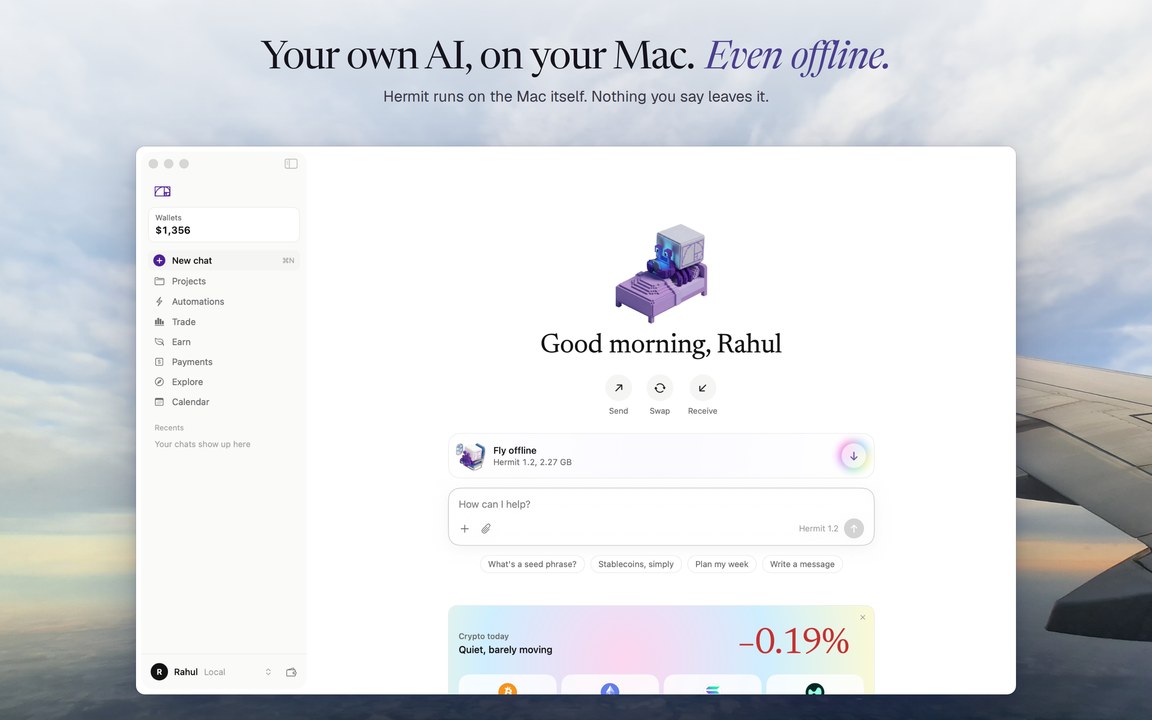
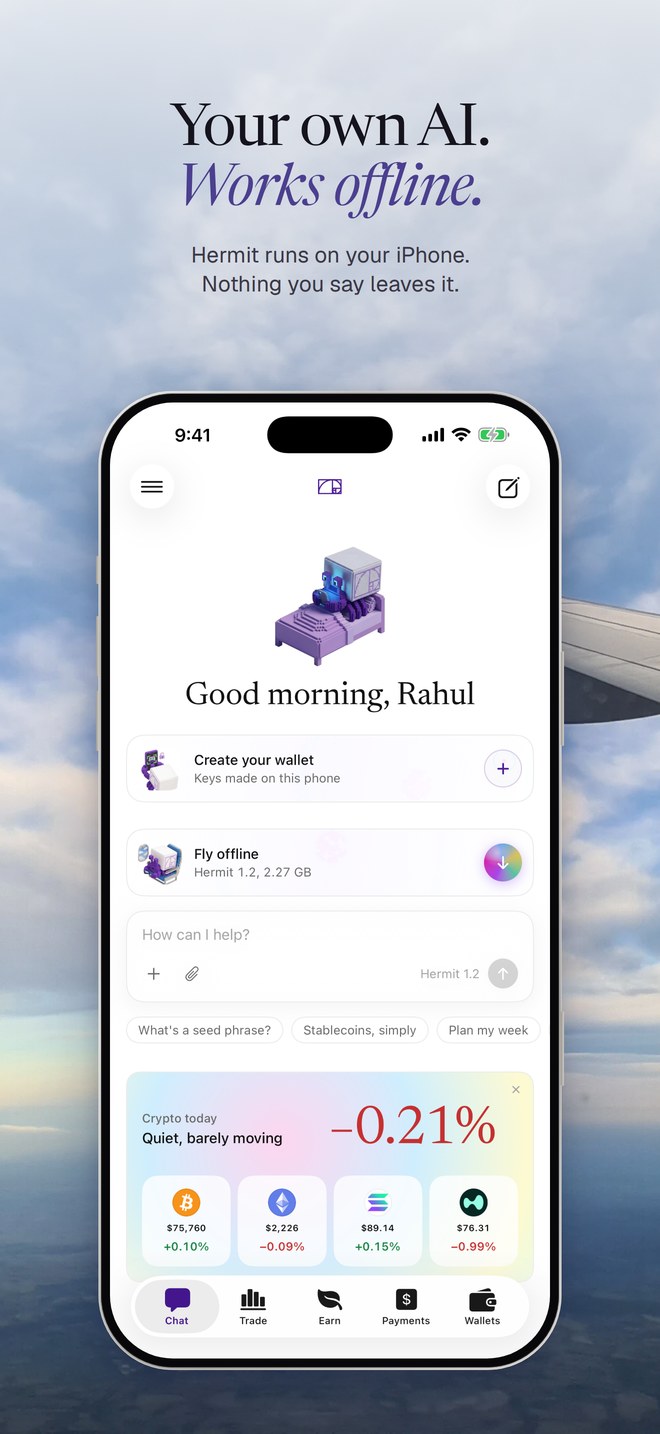
Hermit is your own AI, living on your Mac. Download the model once and it answers anywhere, even offline. Your chats, memory, files and wallet keys stay on your Mac. No account, no ads, no tracking.
Private by design
Hermit 1.2, our own model, runs entirely on your Mac. Turn off Wi-Fi and keep chatting.
Nothing you say is uploaded. There's no Hermit server and no sign-up: you just tell Hermit your name.
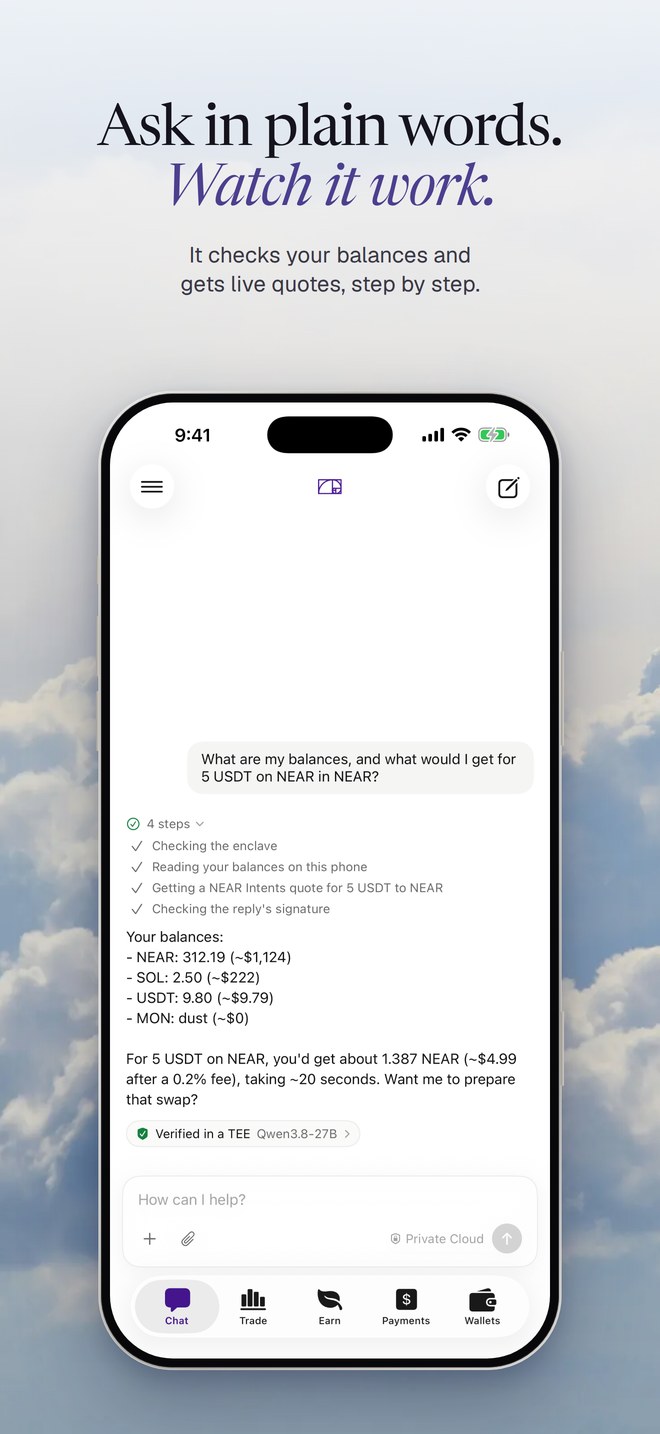
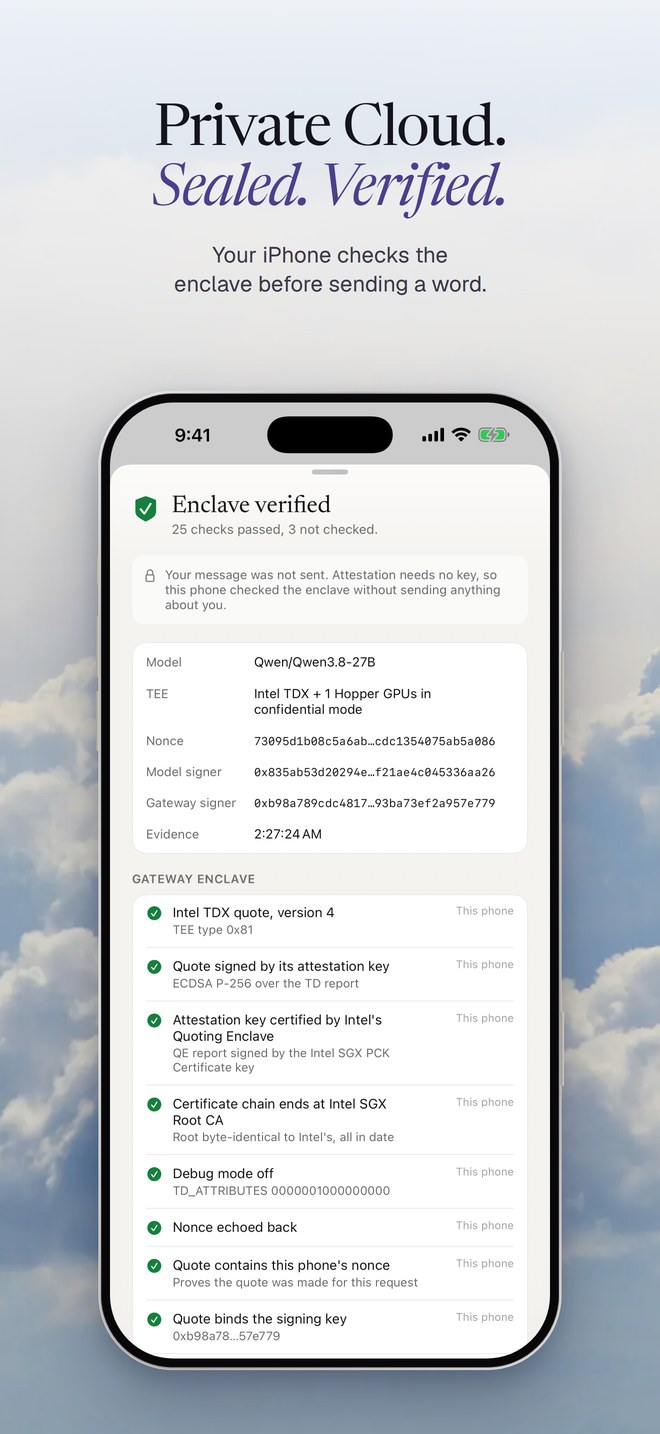
Optional Private Cloud for bigger questions: a larger open model on NEAR AI Cloud, inside a hardware-sealed enclave (Intel TDX and NVIDIA confidential GPUs). Hermit verifies the enclave on your Mac before sending anything, and shows you every check.
An assistant that knows you
Memory: Hermit keeps the notes you choose and uses them in every chat.
Projects keep chats and goals together. Automations: describe a routine in plain words and run it with one click.
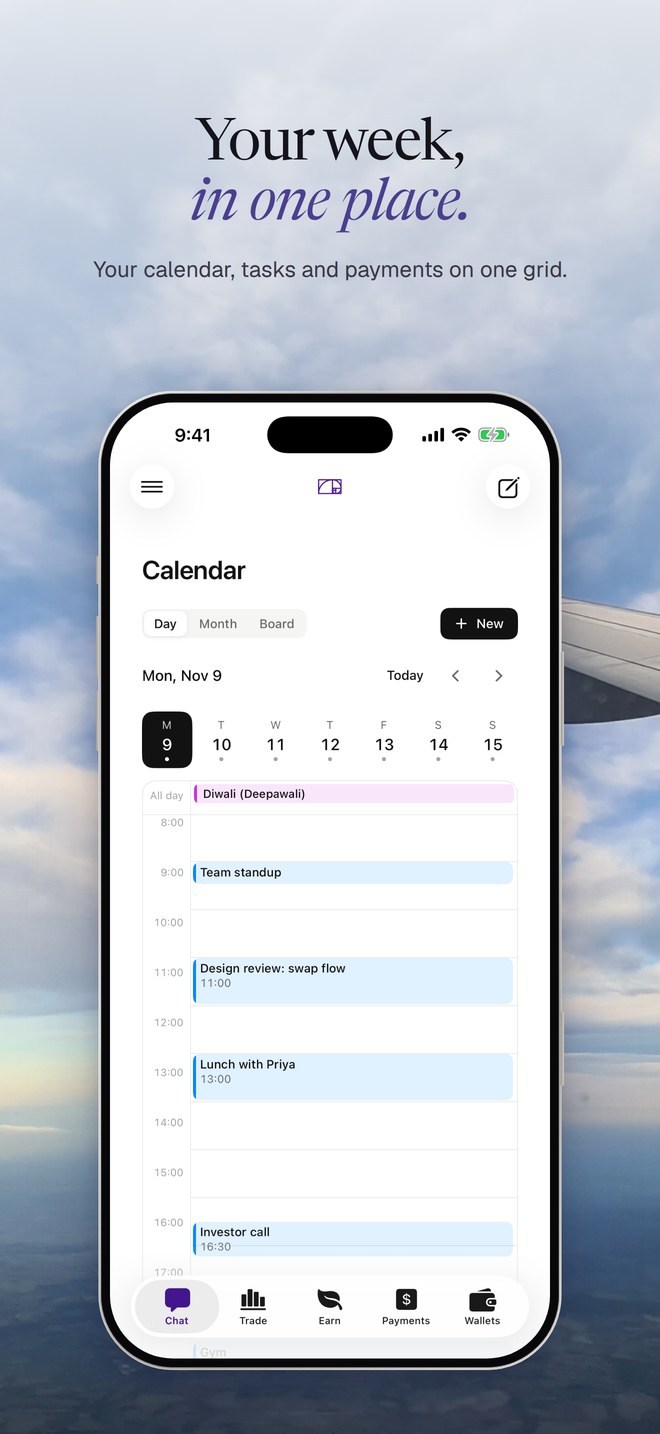
Works with your calendar and files, with your permission, on your Mac.
Money, on your terms
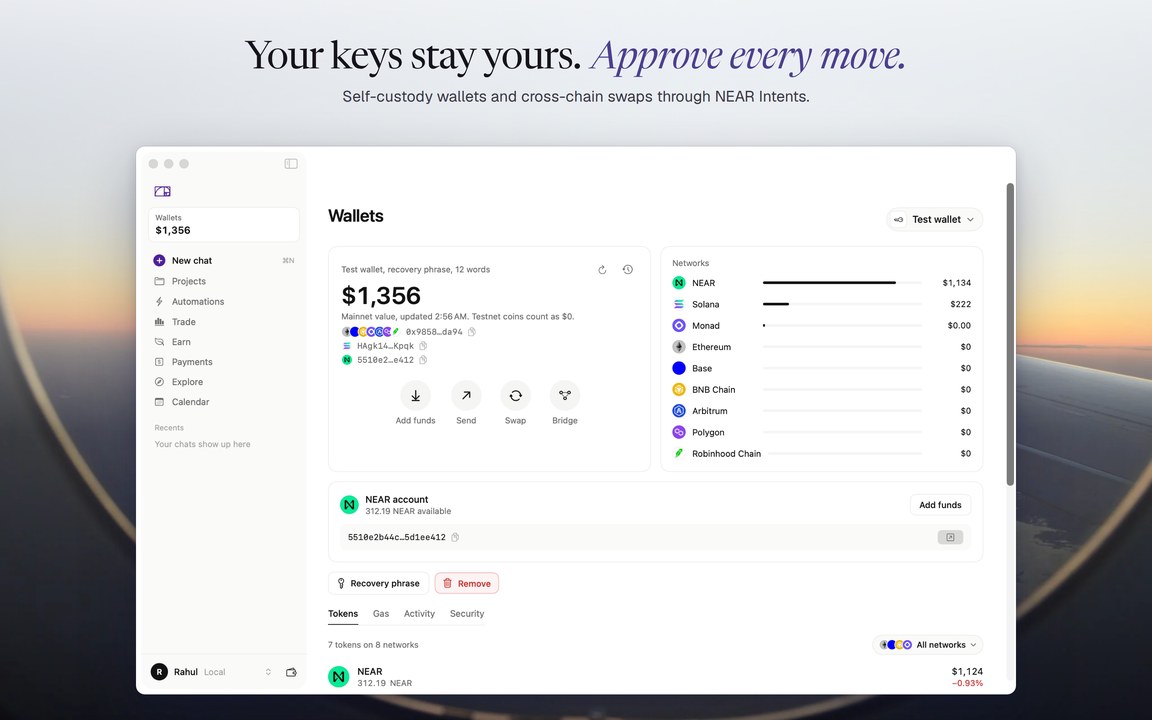
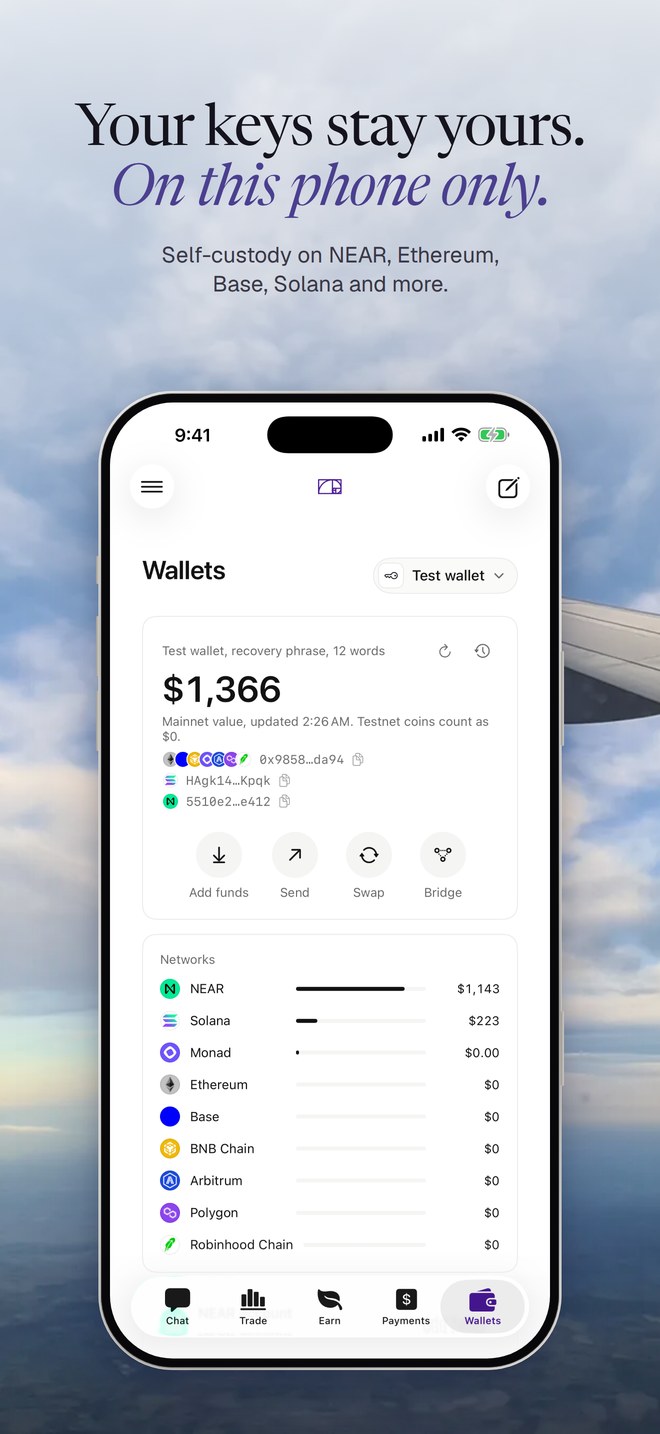
A self-custody wallet: keys are created on your Mac, protected by the Secure Enclave, and never leave it. Hermit can't see or recover them.
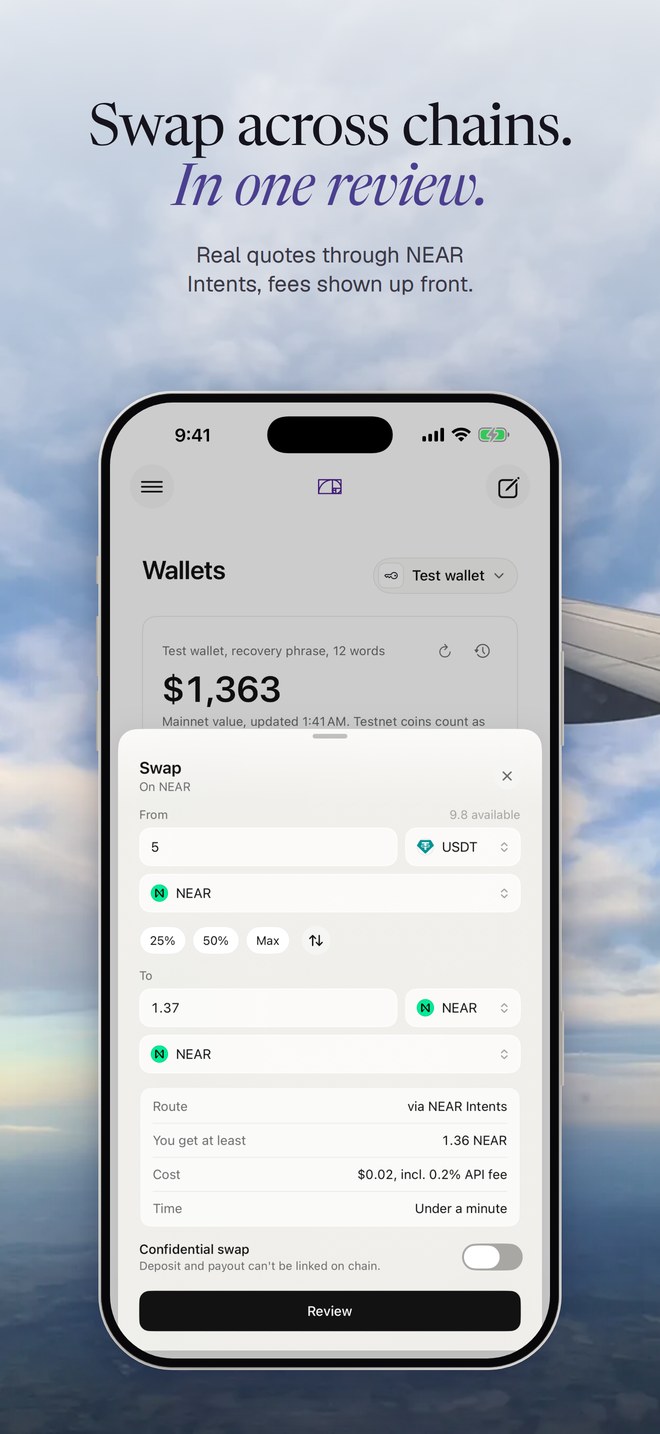
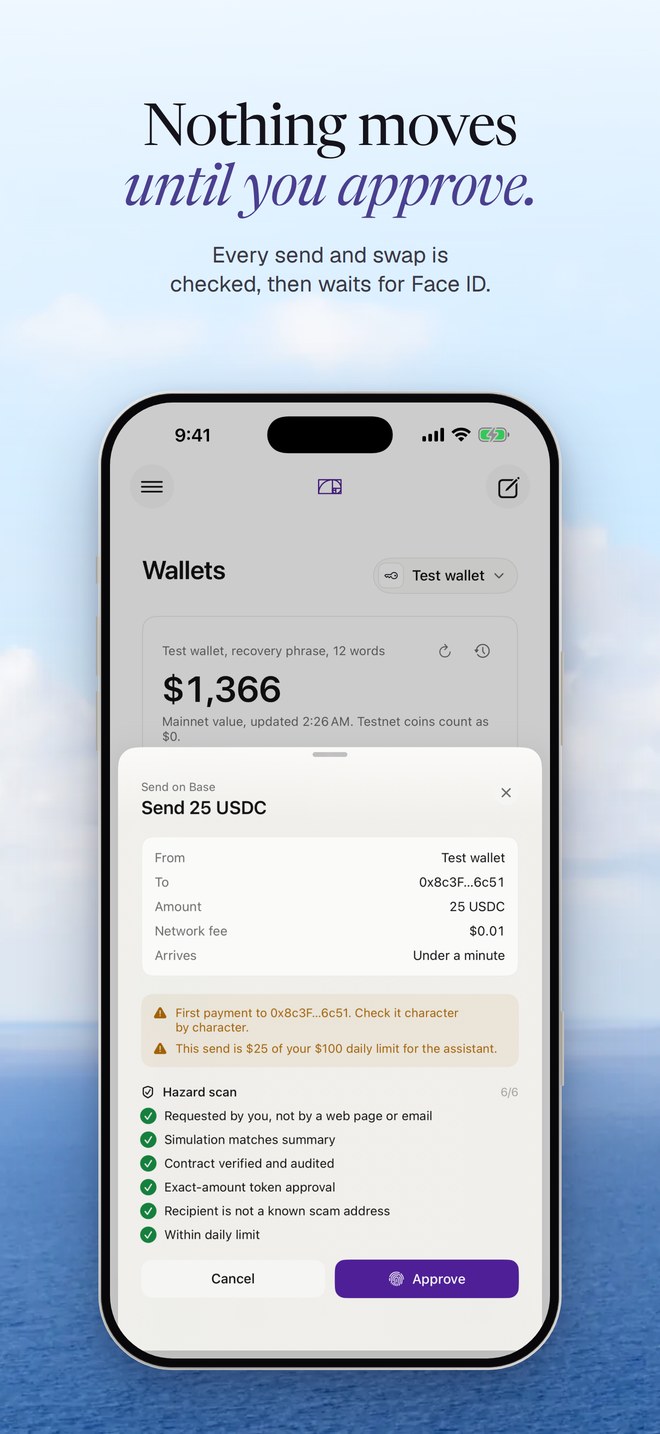
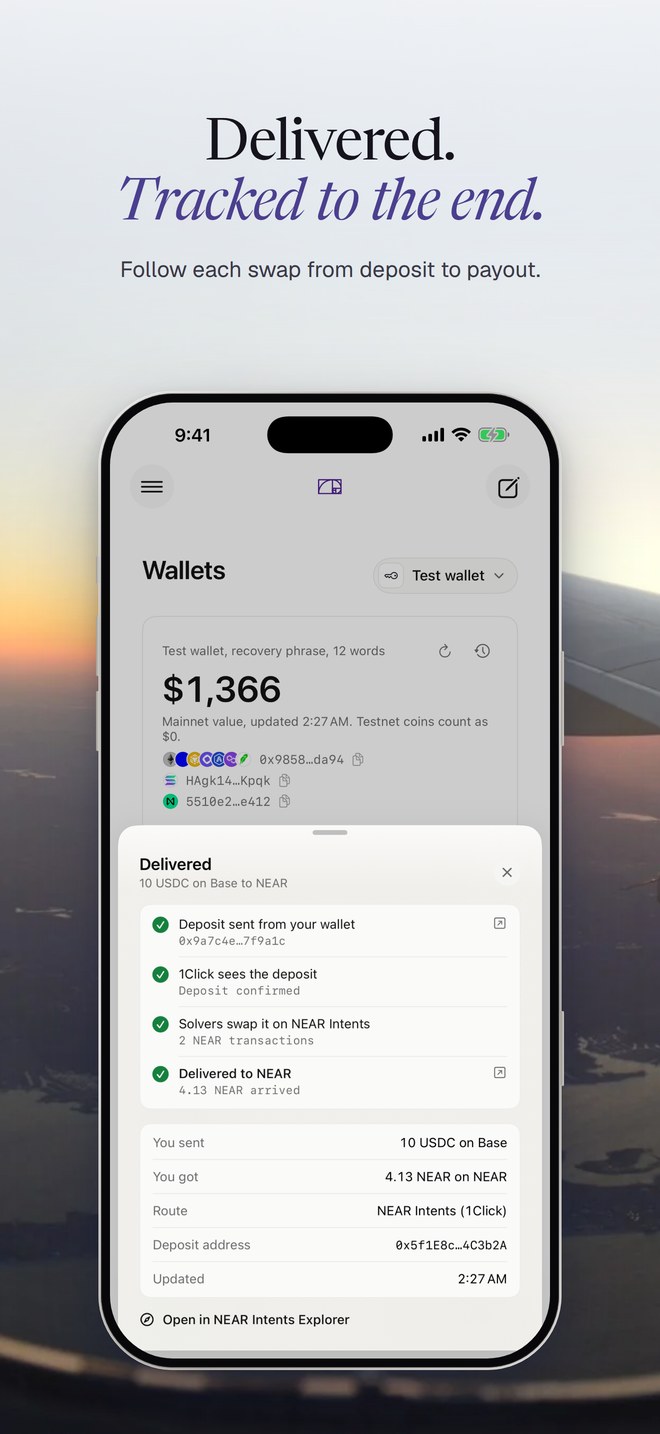
Ask in plain words: "how much NEAR would I get for 20 USDC on Base?" or "swap 20 USDC on Base to NEAR". Hermit gets a real quote through NEAR Intents and opens a clear review. Nothing moves until you approve with Touch ID.
Spending limits you set, checked on your Mac, including a cap on anything the AI prepares.
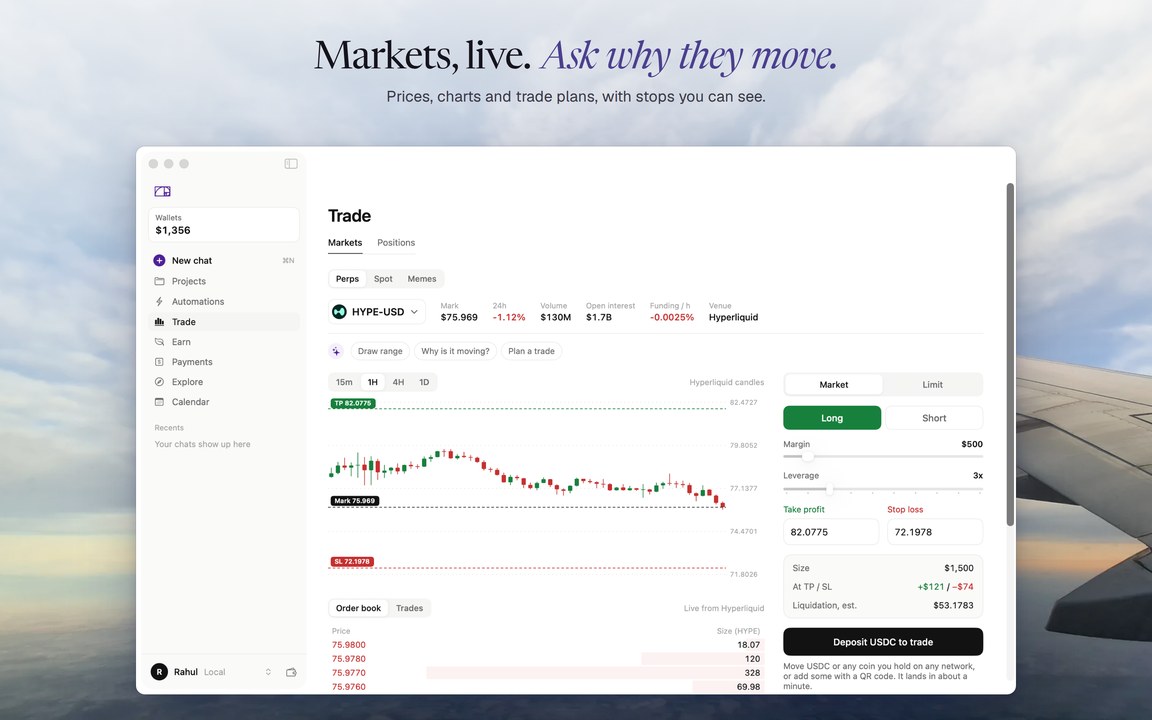
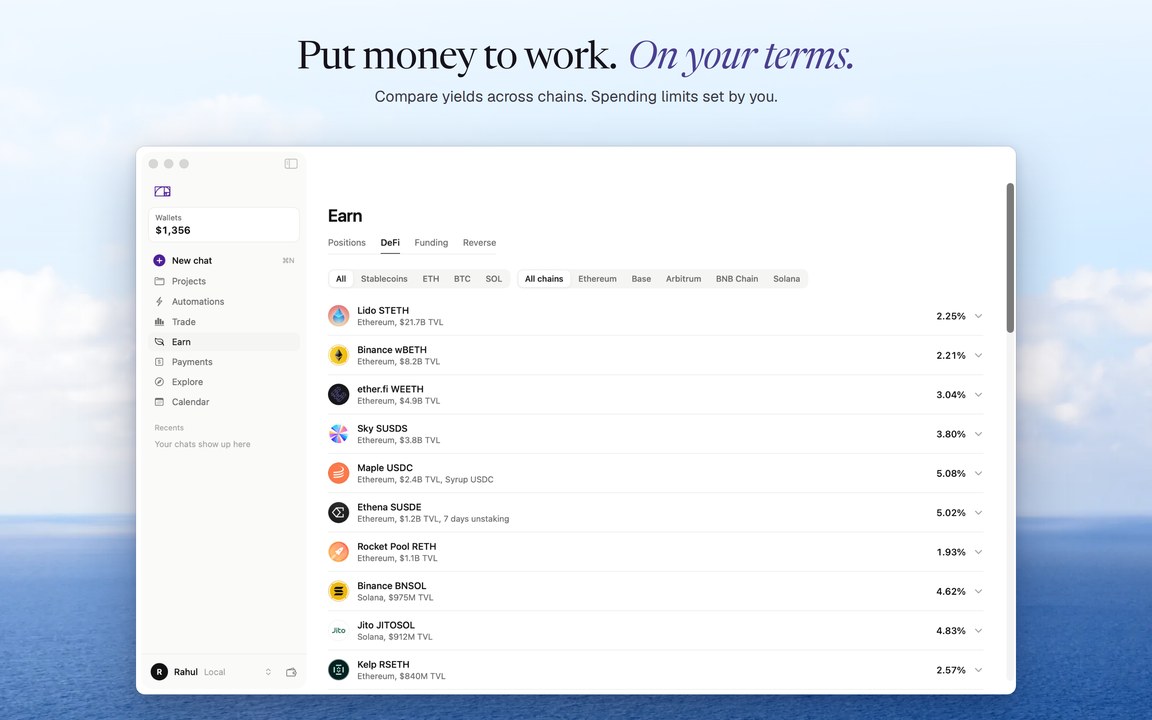
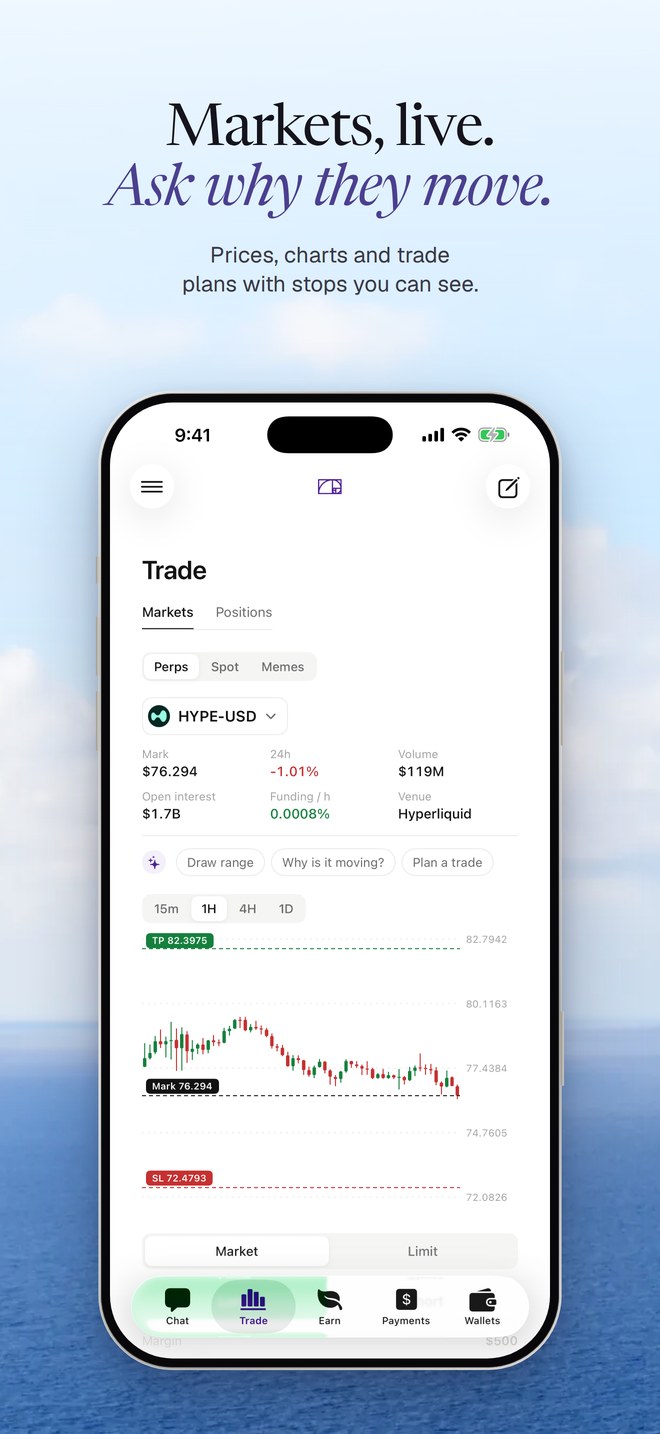
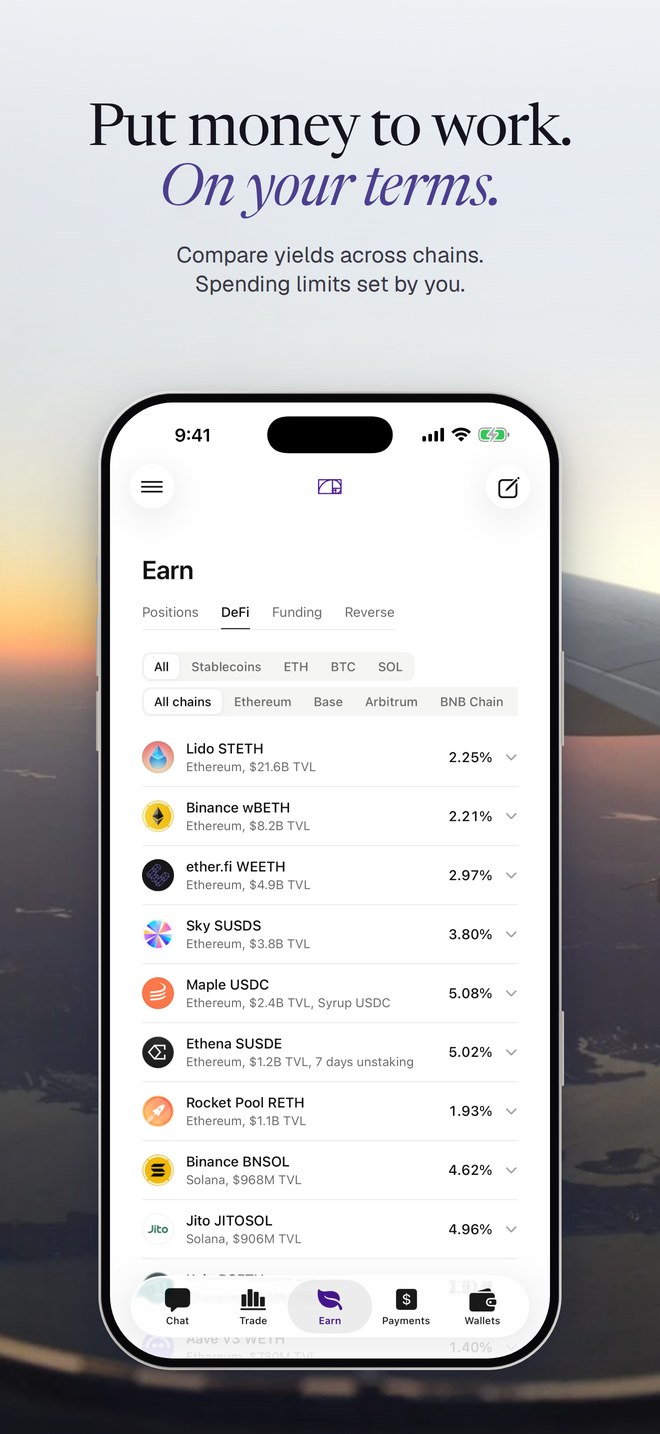
Live crypto prices, markets and yields, with no account needed to browse.
Hermit is an interface to public networks. We never hold your keys or funds, and nothing is bought, sold or held by us. Prices are informational, not financial advice.
What's New
- The AI model downloads by itself on first launch, in parallel pieces from the fastest server near you.
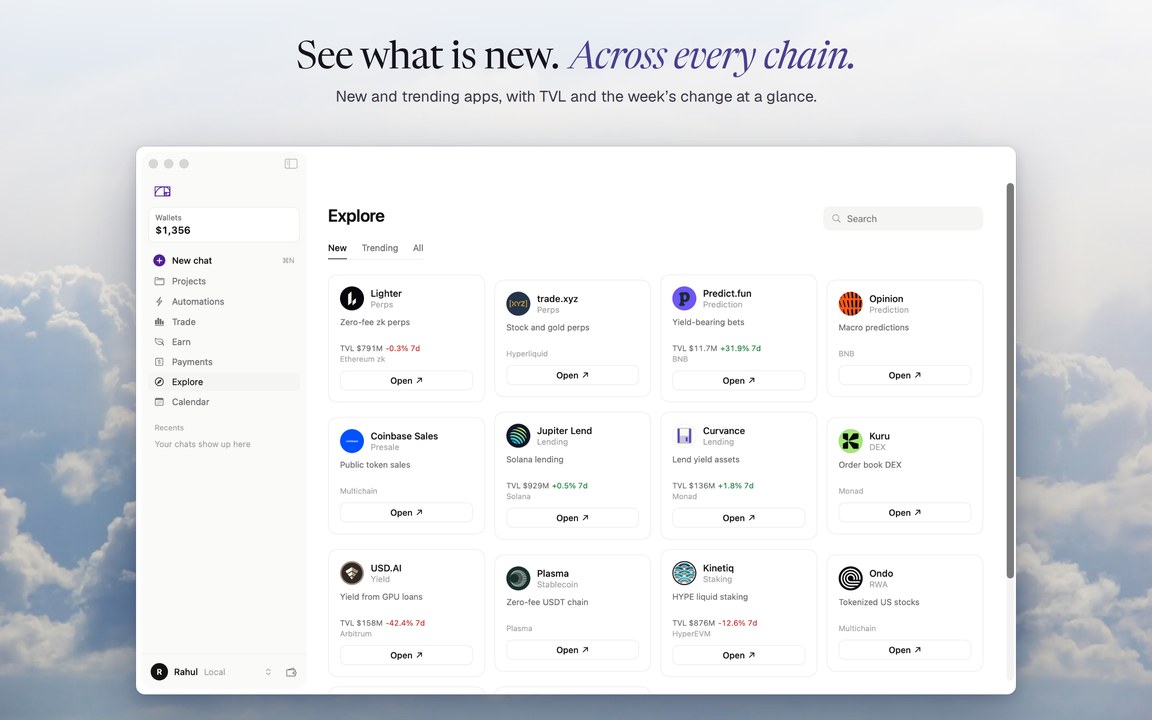
- Earn opens on Savings with Deposit on every Aave pool; other pools open their app inside Hermit, wallet connected.
- Spot and Memes on Solana: any token on Jupiter's verified list, bought from your wallet with the usual review.
- Explore opens any site you type and remembers Your sites; the search forgives typos.
- Deposits show the moment they land; Activity is a real history; Hyperliquid deposits take the cheapest route.
- Files in chat, batch sends from a spreadsheet, swaps by chat, and NEAR Intents swaps you can cancel or hide.
Install in three steps
- Open the downloaded Hermit-2.0.dmg.
- Drag Hermit onto the Applications folder.
- Open Hermit. On first launch it downloads its model (about 2.3 GB, Wi-Fi is best). Then it works offline.
App Privacy
No analytics or tracking
Your chats, memory, files and wallet keys stay on your Mac. Hermit never asks for your recovery phrase. Details in the privacy policy.
Information
- Developer
- Hermit AI Labs
- Size
- 52 MB
- Category
- Productivity
- Compatibility
- Mac with Apple silicon, macOS 26 or later
- Languages
- English
- Age rating
- 18+
- Copyright
- © 2026 Hermit
- Price
- Free
- Signature
- Developer ID, notarized by Apple